Text Match Cut Maker – Free Online, No Signup, No Watermark
You have seen those videos where one word slams into another right on the beat. Every big creator on Instagram Reels and YouTube Shorts uses this text match cut style to stop people from scrolling. You want to make one but every tool you try asks for an account or a payment first. Skip all that and download your image or video free in seconds.
Type a start word and an end word in the boxes. Pick one of 35 transition styles like Fade, Glitch, Shatter, or Particle Burst. Set your duration, hit Play, and watch the text match cut animation run live in your browser. Download as MP4, WebM, GIF, PNG, transparent PNG frames, or a chroma green file ready for CapCut, Adobe Premiere, or DaVinci Resolve.
What Is a Text Match Cut?
A word transition effect where one phrase cuts into another in sync with a beat. The timing makes it feel sharp and deliberate. Without good timing the cut feels accidental and cheap.
Walter Murch edited Apocalypse Now and The English Patient. In his book “In the Blink of an Eye,” he wrote that cuts matching natural rhythm hold attention longer than cuts that ignore it. Reels with animated text overlays tend to earn more engagement than static image posts. The brain responds to rhythm the same way it always has.
Who Uses This Tool
Content creators
Instagram Reels, YouTube Shorts, TikTok
Business owners
WhatsApp Status, Stories, offers
Students
Channel intros, portfolio reels
Marketers
Fast ad creatives, same day delivery
Creators running channels from Laxmi Nagar, Rajouri Garden, and Karol Bagh in Delhi post Reels every single day. A motivational quote with a sharp animated text overlay gets more shares than a plain image. “Mehnat → Manzil” or “Struggle → Success” in Glitch or Morph style takes seconds here.
Shop owners near Chandni Chowk, Linking Road, and Brigade Road use it for WhatsApp Status promotions. A festival offer like “Diwali Sale → Shop Now” lands better as a beat sync video than plain text on a white background.
Students building YouTube channels in Hyderabad, Pune, and Ahmedabad use it for intros and end screens. Freelancers use it for client portfolio reels. Marketers in the USA, Turkey, Indonesia, and the Philippines use it when a client needs a short form video editing job done same day.
How This Tool Works
- Enter your start text in the first box and your end text in the second box. Text Match Cut gives you 35 word transition effect styles to pick from. Your content stays on your device throughout.
- Fade Match blends one word softly into the other. Glitch Match breaks the visual signal between words like a corrupted screen. Particle Burst turns text into floating dots that pull together as the new word forms. Each style gives a completely different feel to the same two words.
- Duration options are 0.8, 1.5, 2, 3, and 5 seconds. Short durations feel aggressive and punchy. Longer ones feel cinematic and controlled.
- Pick your aspect ratio. Use 16:9 for YouTube, 9:16 for Reels and Shorts, and 1:1 for Instagram square posts. Choose from 15 fonts with Hindi and Urdu support. Adjust size, color, shadow, and background on the right panel. Hit Play to preview and export when it looks right.
More ways to use the editor
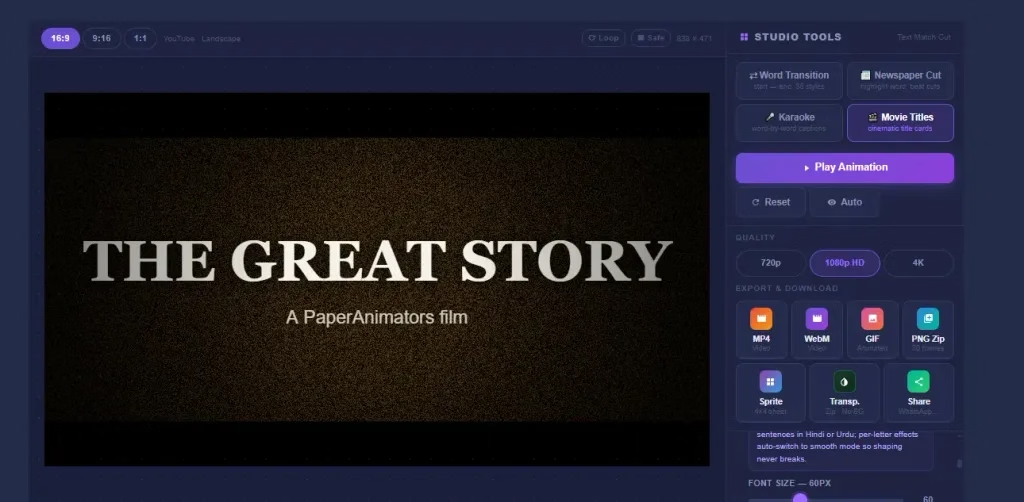
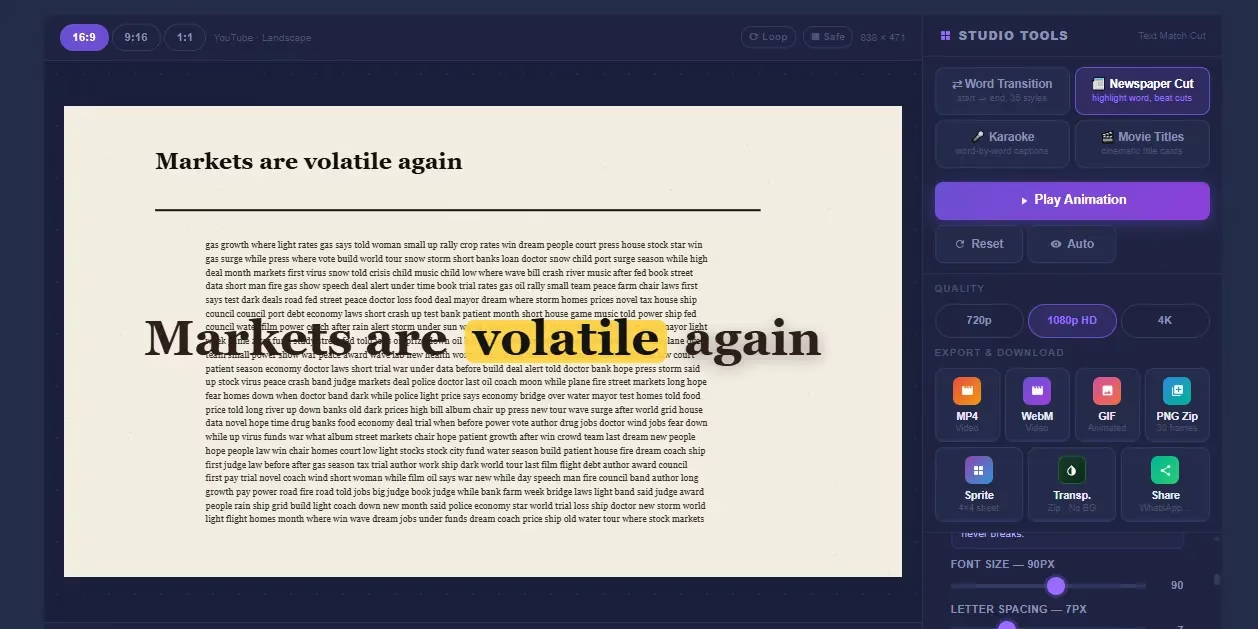
The editor holds four modes. Word Transition cuts one phrase into another. Newspaper Cut locks your words into a realistic paper layout. Karaoke Captions highlights each word on the beat. Movie Titles builds a cinematic letterboxed title card.
Upload your own image or video as the background. Record a voiceover, add sound effects, or drop in timed subtitles. The editor supports Hindi and Urdu text with fonts made for both scripts.
Ideas Worth Trying
Three words work better than ten in this format. Short phrases give the animated text overlay room to land. The simpler the phrase the harder the cut hits.
- Motivation: Dream → Reality. Pain → Power. Fear → Freedom.
- Business: Problem → Solution. Then → Now. Before → After.
- Festivals: Diwali 2026 → Big Savings. Eid Mubarak → Shop Now.
- Local businesses: Sarojini Nagar → Delivered Home. Linking Road → Order Online. Brigade Road → Best Prices.
- YouTube: Subscribe → Now. Watch → Till End. Like → If You Agree.
How PaperAnimators Compares
Transparent PNG export and chroma green background are free only on PaperAnimators. Most other platforms lock these features behind paid plans or need an account just to export. That makes them difficult to use for client work without paying first.
| Feature | PaperAnimators | Other Platforms |
|---|---|---|
| Free to use | ✔ Yes | ✖ Limited |
| Login required | ✔ No | ✖ Yes |
| Watermark | ✔ No | ✖ Yes (free plan) |
| Works in browser | ✔ Yes | ✖ App or Web |
| Transition styles | ✔ 35 | ✖ Few presets only |
| Export formats | ✔ MP4, WebM, GIF, PNG, Transparent, Sprite | ✖ MP4 only |
| Transparent PNG export | ✔ Yes | ✖ No |
| Chroma key background | ✔ Yes | ✖ No |
| Custom font and color | ✔ Yes | ✖ Limited or none |
| No account ever | ✔ Yes | ✖ No |
Tips That Make a Real Difference
Match duration to beat
If the beat drops every 1.5 seconds set duration to 1.5s. The cut lands exactly on the beat and feels intentional.
Use Cinema background
Letterbox bars on top and bottom make any short form video look more produced without touching the text.
Try Glitch for reveals
Shatter or Glitch builds tension before the second word appears. That half second makes viewers wait.
Preview without sound
If timing feels off silently it will feel worse with music. Fix timing before adding audio.
Frequently Asked Questions
Start Creating Now
Open the editor above, type your first word, and pick a style. Your animation is ready in seconds.